Slack: Generate API Token
This appendix walks you through creating a Slack app, configuring OAuth scopes, and generating an API access token for the Slack plugin.
Steps to generate the API Access Token
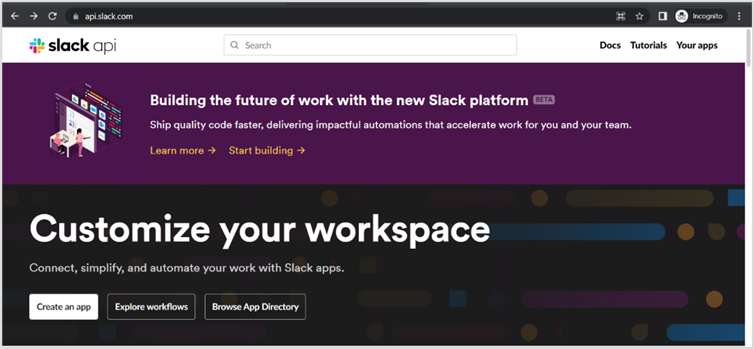
- Go to the Slack website. Sign in to your account.
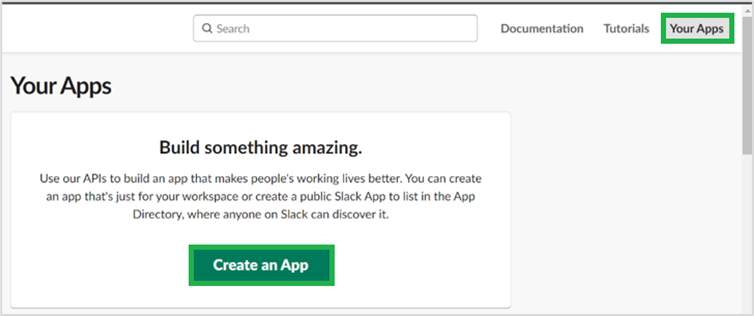
- Click the Your Apps link in the top right corner of the page, and then click Create an App. The Create an app dialog appears.
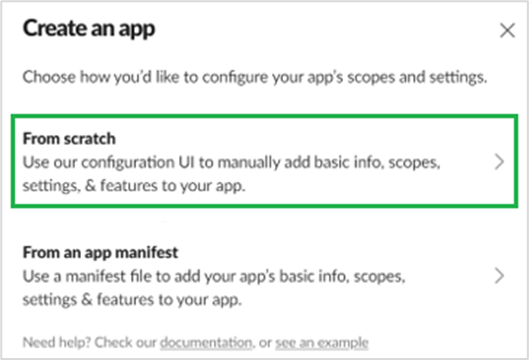
- In the Create an app dialog, click From scratch. The Name app & choose workspace dialog appears.
- In the Name app & choose workspace dialog, enter the following field details: a. App Name: Enter the name of the app you want to create. b. Pick a workspace to develop your app in: Select the workspace in which you want to create your app.
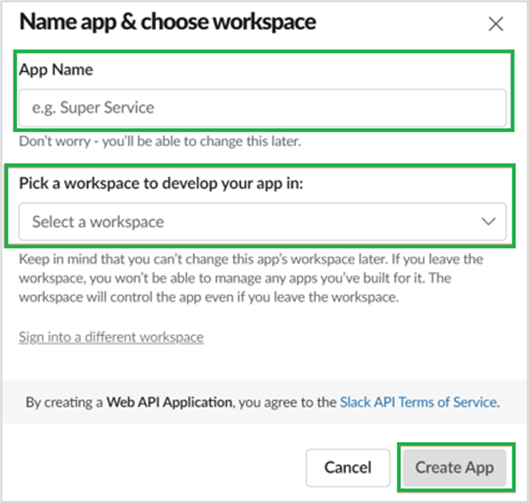
- Click Create app. The Basic Information page appears.
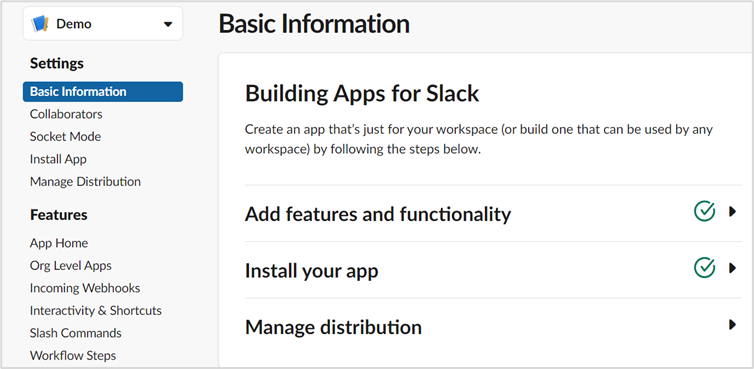
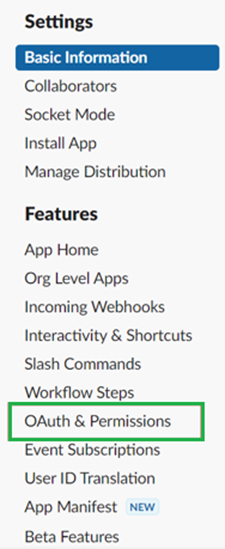
- Navigate to Features OAuth & Permissions.
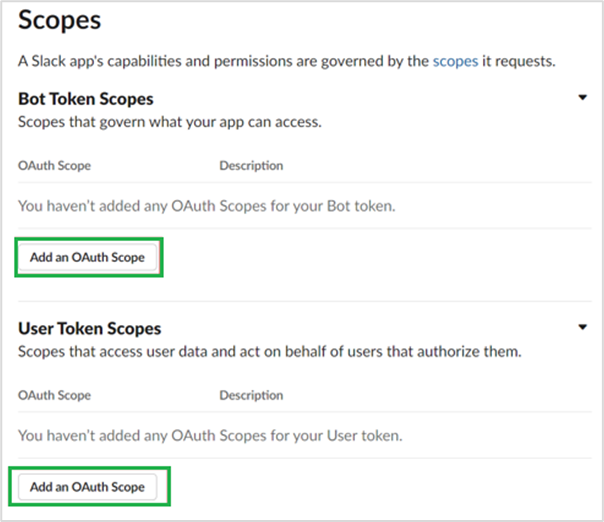
- In the Scopes page, click Add an OAuth scope and select the required scope(s) for both Bot and User tokens.
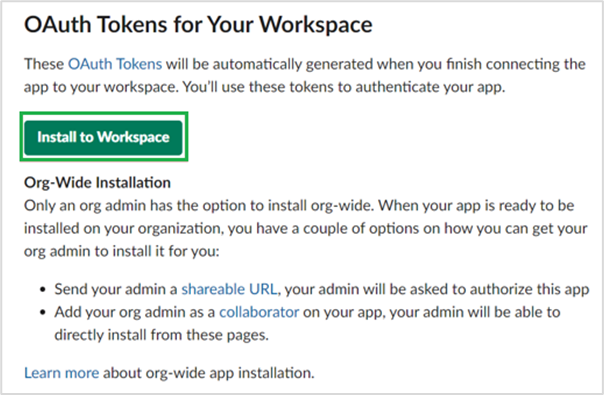
- Scroll up to the OAuth Tokens for Your Workspace section, and then click Install to Workspace.
- Review the scopes your app is requesting and click Allow.
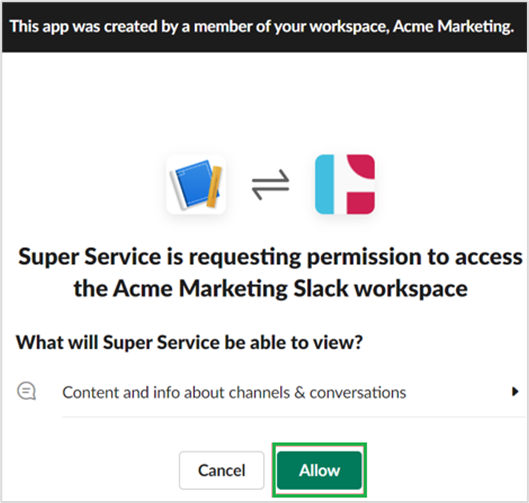
- Once authorized, you will see a new OAuth Access Token under the OAuth Tokens for Your Workspace section. This is your User OAuth token.
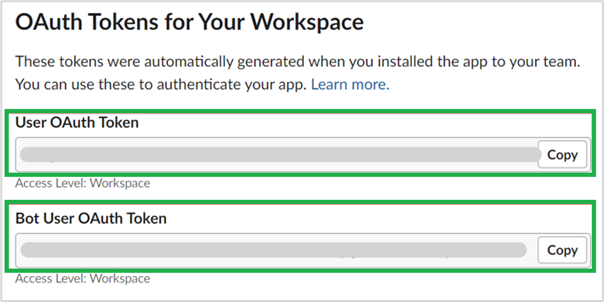
- Copy the token and store it securely in your app.