Office 365: Get Email ID
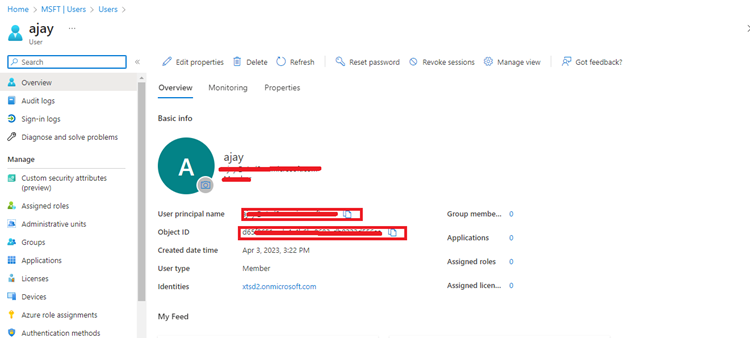
This appendix shows how to find group email IDs, Object IDs, and user email IDs from Azure Active Directory for the Office 365 plugin.
- Login to Microsoft Azure with admin user.
- Open 'Manage Azure Active Directory'.
- Click on Manage -> Groups.
- Click on group to get email/ID.
- Copy the Group email/ID(Object id).
User email / ID
- Login to Microsoft Azure with admin user.
- Open 'Manage Azure Active Directory'.
- Click on Manage -> Users.
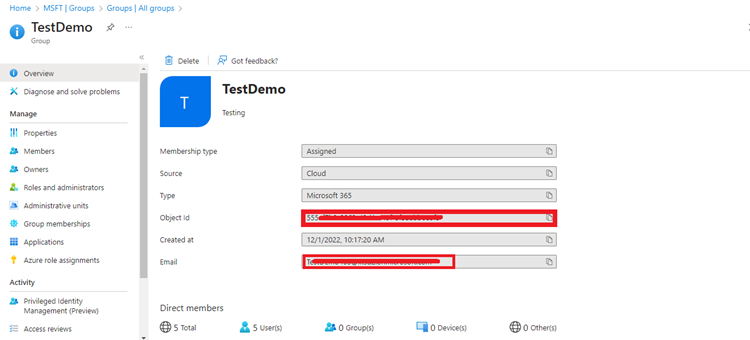
- Click on user to get email/ID.
- Copy the User principal name(email)/ID(Object id).