Work with System Health
Checking system parameters is essential to monitor performance, troubleshooting, system stability and resource allocation. In system health checkups you can see system parameters like CPU, Memory, Disk space, status of Database connectivity, ActiveMQ cluster, and so on.
We have a thread that logs these parameters into the server’s log file, health.log every five minutes.
The chapter consists of the following topic, View the system health.
View the system health
You can view the health details of the various components.
To view the system health:
-
In the menu, click System Health. The System Health page appears.
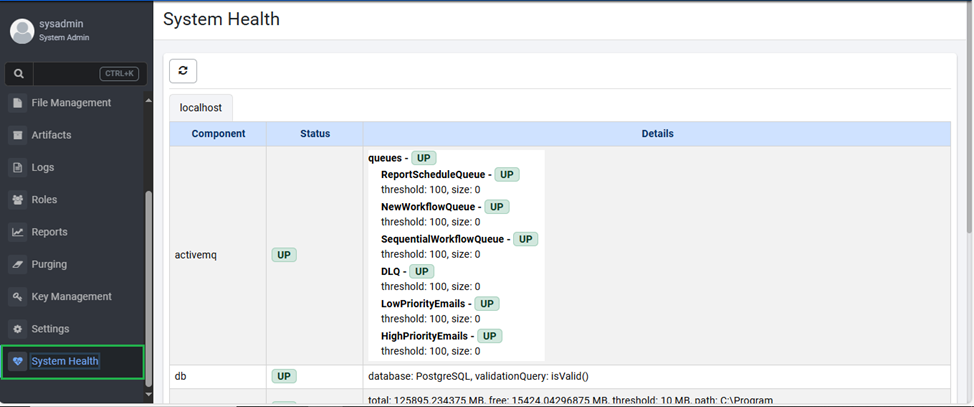
Figure 136: System Health page
-
View the following field details:
Field Description Component Displays the list of components. System Displays the status of the component. The status can be UP or DOWN. Details Displays details of component. For example, for Component memory: Details heap.max: 2048 MB, heap.used: 702 MB, heap.usage: 0.3427734375, threshold: 0.85 -
Click
 to refresh the view.