Work with Controller Assignment
The Controller Assignment feature is available only if you have enabled ae.feature.use-agent-controller.enabled= true in the ae.properties file.
Controller Assignment lets you define which agents are managed by which controllers — establishing controlled execution paths and enforcing access restrictions across your agent infrastructure. You can assign one or more agents to a controller, or assign one or more controllers to an agent, depending on how you want to structure your deployment. This two-way assignment model gives you flexibility to design load-balanced, secure agent topologies where each controller manages a defined set of agents. Without this mapping, controllers would have no relationship to the agents they need to manage, and you'd lose the benefits of centralized control.
Before proceeding with assigning controller to agents or agents to controller, we recommend that you see Work with Agent List: Agent Controllers.
To assign Controllers to an Agent:
-
In the menu, click Agents → Controller Assignment. The Controller Assignment page appears.
-
By default, the Agents tab is active. Select an Agent from the list.
-
Click the Edit button on the top right corner.
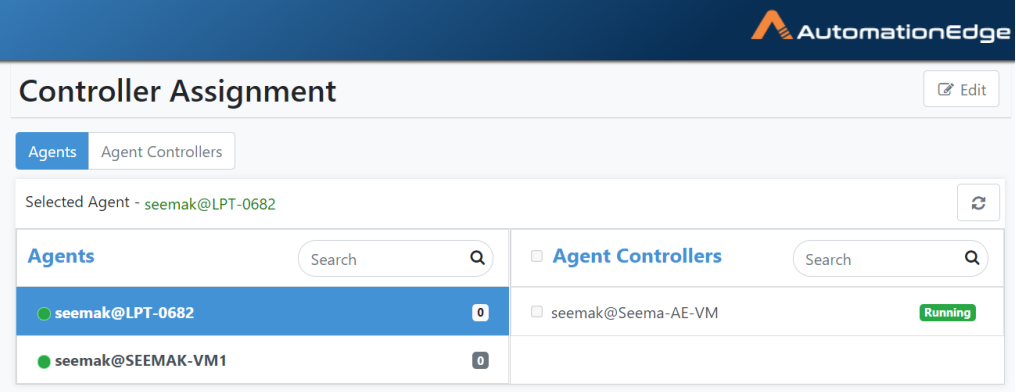
Controller Assignment page
-
Select one or more Agent Controllers by enabling the checkboxes in the Agent Controllers column on the right.
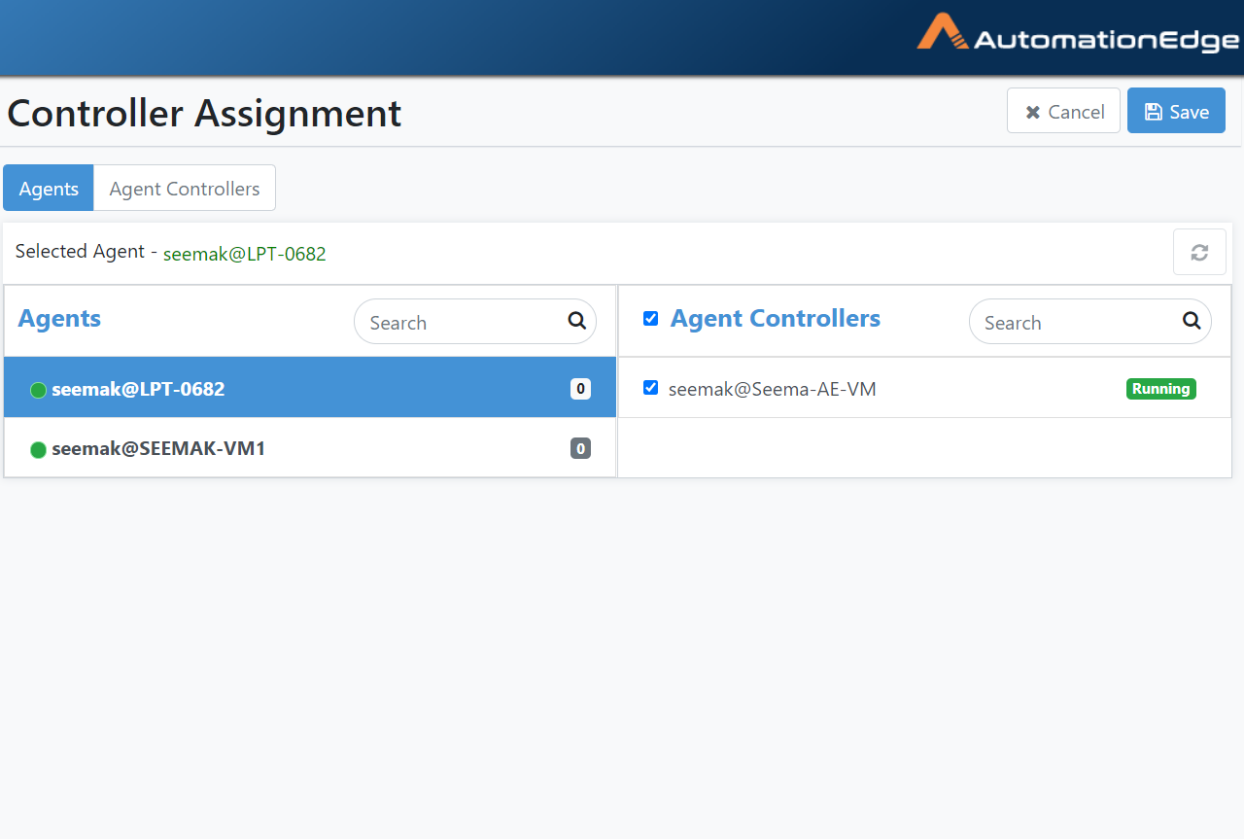
Assign Controllers to Agent
-
Click Save to save the assigned Controllers to an Agent. Assignment saved successfully message appears.

Assignment saved successfully
-
Similarly, go to the Agent Controllers tab next to the Agents tab, select a Controller and assign Agents to it by selecting them from the right column.
-
The process of Agent(/s) assignment to Controller(/s) is complete.