Work with Key Management
Key Management lets you manage and rotate tenant-specific encryption keys that protect confidential data across your automation platform — including workflow parameters, credentials, agent configurations, datasource connections, and SMTP settings. Without regular key rotation, a compromised encryption key could expose sensitive data across all of these areas. You can rotate keys immediately with a single click or schedule automatic rotation at a defined interval in days. The rotated key applies the next time confidential data is modified in any of the protected features. This gives your organization a straightforward way to strengthen data security and meet encryption key rotation requirements in your compliance policies.
The Key Management feature is available only if version 2.0 is selected by the System Administrator. For details, see System Administrator Guide.
To manage tenant key:
-
In the menu, click Key Management. The Tenant Key page appears.
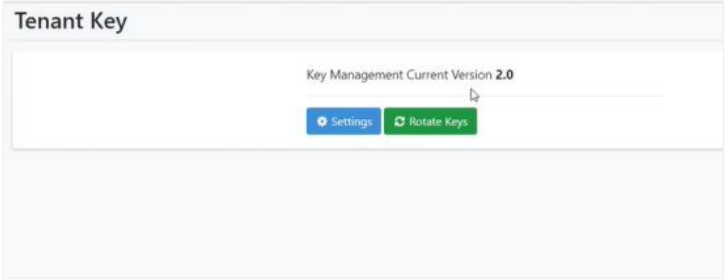
Tenant Key page
-
Click Rotate Keys. The tenant encryption key for the selected tenant is changed (rotated) immediately.
NoteThe rotated encryption key will apply when the user modifies confidential data in the following features:
- Workflow parameters
- Workflow🡪Credentials
- Agents🡪Agent List
- Reports🡪Datasource
- Settings🡪SMTP
-
If you want to schedule the rotation of keys, click Settings. Select the Enable Key Rotation checkbox and enter the duration in days when you want the keys to rotate.
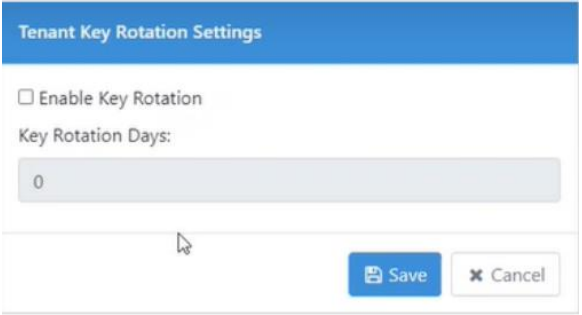
Key Rotation settings
-
Click Save. The detail is saved.