Converter And Crop
Description
This step is used to convert and crop pdf, image files.
Reference Links
PDF debugger Tool Jar link: : https://www.apache.org/dyn/closer.lua/pdfbox/3.0.2/debugger-app-3.0.2.jar
This Jar used to find PDF coordinates.
Example:
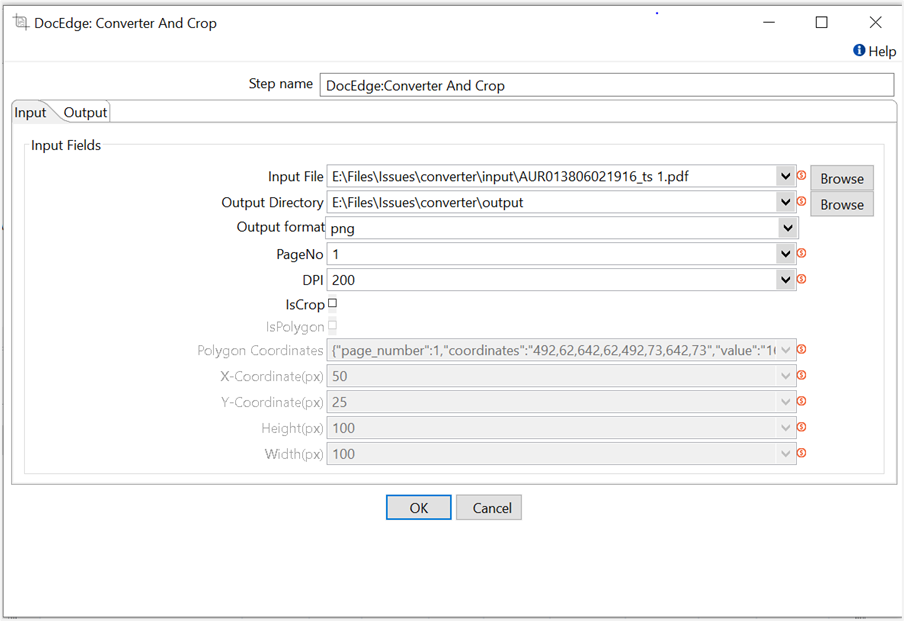
In following example, input image file are converted into the pdf file.
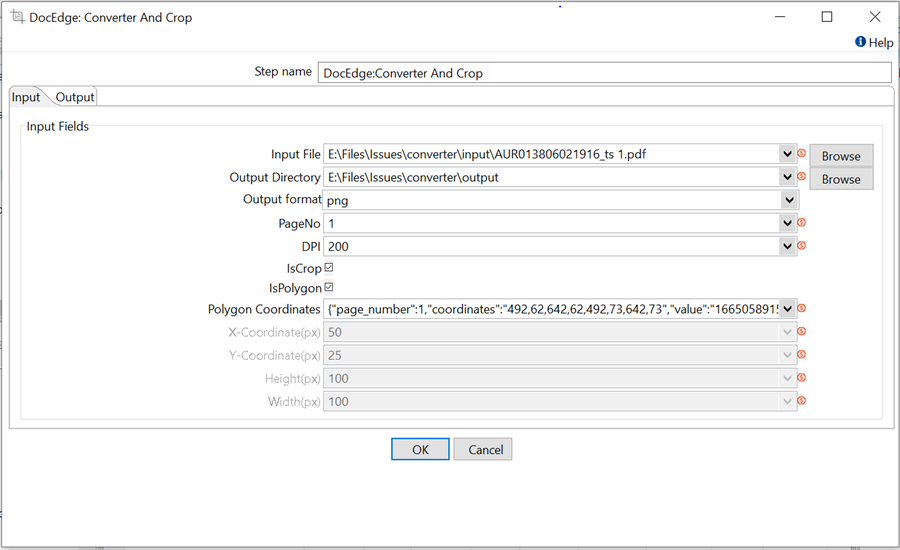
In following example, input image file get crop using coordinates details and save it in pdf format.
Configurations
| Field Name | Description |
|---|---|
| Step Name | Name of the step. This name must be unique in a single workflow. The field is mandatory. |
| Input Fields | |
| Input File | Input file path The field is mandatory. |
| Output Directory | Output folder path where output files are saved. The field is mandatory. |
| Output format | Output file format. Example – png, jpg, jpeg, and pdf. The field is mandatory. Default value- png |
| PageNo | Provide page number to be crop or convert from multipage file. The field is mandatory. Default value- 1 |
| DPI | Set DPI for png file. For example: 156,200. The field is mandatory. Default value: 72 |
| IsCrop | Choose operation to be perform default un-check. If uncheck perform convert operation, if check perform crop operation. The field is mandatory. |
| IsPolygon | Choose this checkbox if want to use polygon point to perform crop. Default: uncheck |
| Polygon Coordinates | This field accept polygon coordinates received from Get Value plugin in json format i.e {"page_number":1,<br/>"coordinates":"492,62,642,62,492,73,642,73","value":"166505891515","key":"7507234499","page_height":842,"page_width":594}The field is mandatory. |
| X-Cordinates(px) | X – coordinates of crop. Pixel position of crop. The field is mandatory. |
| Y-Cordinates(px) | Y- coordinates of crop. Pixel position of crop. The field is mandatory. |
| Height(px) | Height of crop in pixels. The field is mandatory. |
| Width(px) | Width of crop in pixels. The field is mandatory. |
| Output Fields | |
| Output Field | Output file path. Default value: outputFilePath |