Exit Browser
Description
The Exit Browser step explicitly closes the entire browser session for the driver specified in the Web GUI [Classic]plugin.
tip
When a Web GUI [Classic]workflow is run on an agent the entire browser session implicitly closes after the end of the workflow even if Exit browser is not put at the end of the workflow.
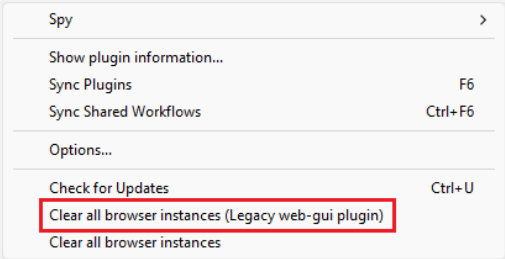
However, when a Web GUI [Classic]workflow is run from Process Studio the entire browser session does not close implicitly. Browser terminates abnormally then you need to clear browser driver instance before you can start a new browser. Navigate to Tools -> Clear all browser instances (Legacy web-gui plugin).
Configurations
| Field Name | Description |
|---|---|
| Web Browser Name | You can select any one web browser from the given list, Basically, you must select the same web browser, which was selected in the Start Browser step. |