Get started
In the chapter, you will learn how to sign-in to the AE cloud instance and the resources you can access. The chapter includes the following topics:
- AutomationEdge cloud instance sign in
- View resources
AutomationEdge cloud instance sign in
You can access the AutomationEdge cloud instance at https://t3.automationedge.com.
Get started
Get AutomationEdge free trial by registering at https://automationedge.com/it-robotic-free-trial/. After your registration, AutomationEdge will create a Tenant and a user with Admin role. You will receive the administrator’s sign in credentials. Sign in with your credentials. See the following screenshot:
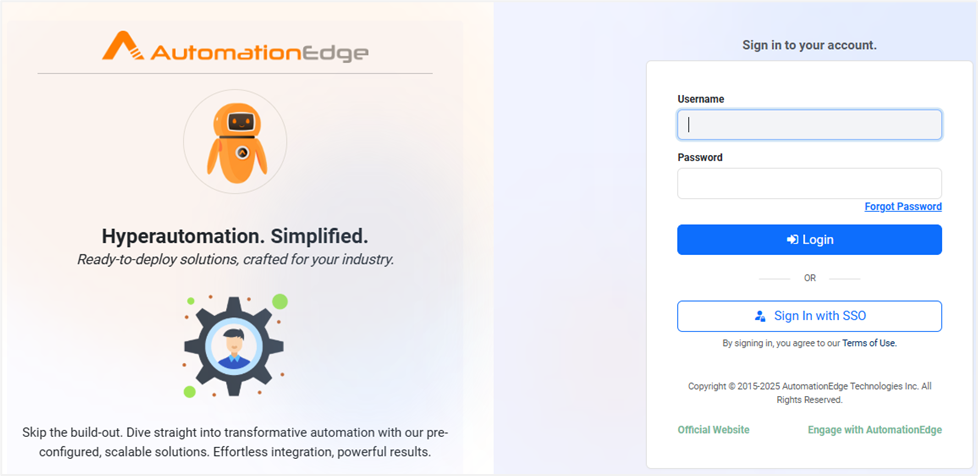
System Administrators can use the Forgot Password link to reset the password.
After signing-in, the AutomationEdge Home page appears. On the page, view the AE license details, such as number of agents, step units, Process Studio licenses assigned to you and consumed, and Consumption license details. In the middle, the home page shows the top four commonly used charts. And at the bottom, view Agent Utilization by Agent type.
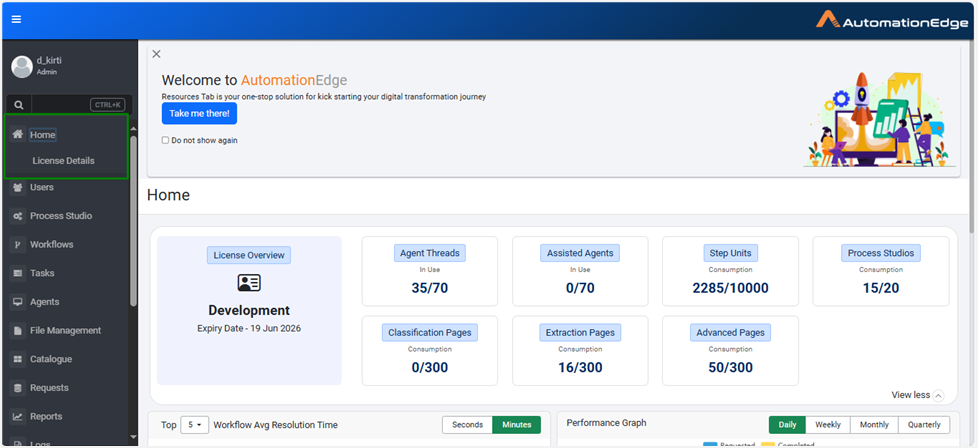
• Click Take me there! on the Home page to view the Resources page. The page provides documents, such as AutomationEdge User’s Guide, AutomationEdge Cloud Getting Started, and so on. • To close the section permanently, select the Do not show again checkbox.
View resources
You can click Take me there! on the Home page to view the Resources page OR access the page via the Resources menu.
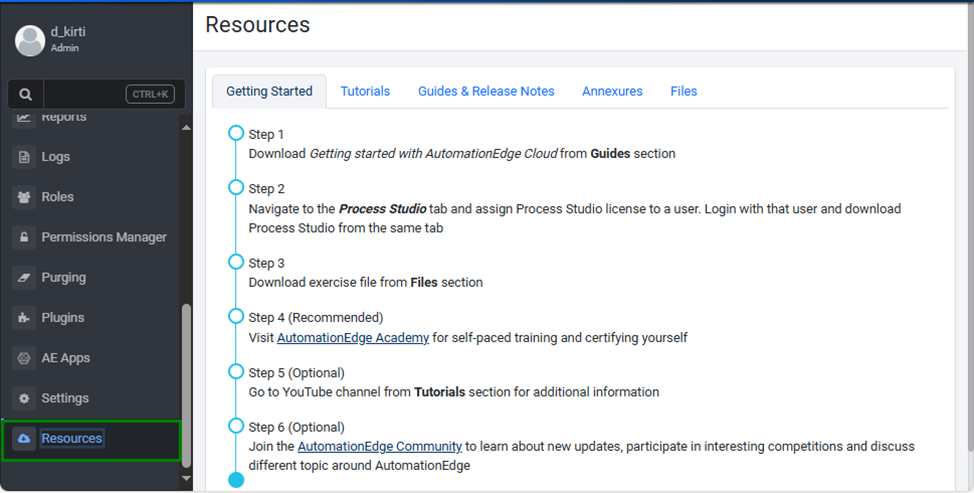
The following tabs are available on the Resources page: • Getting Started • Tutorials • Guides & Release Notes • Annexures • Files
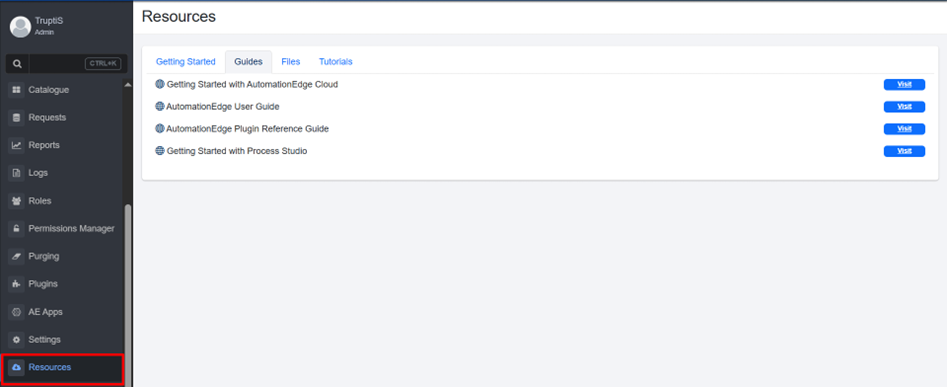
Click respective tabs and view the resources available under each tab.
• (Recommended) Visit AutomationEdge Academy for self -paced training and certifying yourself. Go to the YouTube channel from the Tutorials tab for additional information. You can also click the following YouTube link to access AutomationEdge Tutorials: https://www.youtube.com/playlist?list=PLgdZUGrgHrHX7MHKx0gygOuTwgVHjjddZ
• (Optional) Join the AutomationEdge Community to get the latest updates and participate in community discussions.