Formula
Description
Formula calculates expressions within a data stream using a rich library of built-in functions, from simple arithmetic like [A]+[B] to complex business logic with nested if/then conditions. Use this step when you need to derive new field values without writing code — for example, computing totals, applying conditional formatting rules, or performing date calculations. The built-in formula editor validates syntax and field names in real time, making it easy to build and troubleshoot expressions.
Configurations
| Field Name | Description |
|---|---|
| Step name | Name of the step as it appears in the workflow workspace. This name has to be unique in a single workflow. |
| Fields: | |
| Result Field | Specify the field name to hold the output result. |
| Formula | Build the Formula using available functions in the Formula editor. Click on the cell, the Formula Editor will open. In the left pane, the group of functions is available. In the right pane, the formula can be seen in the Expression field. A detailed explanation of the selected formula appears in the section under the Expression field. 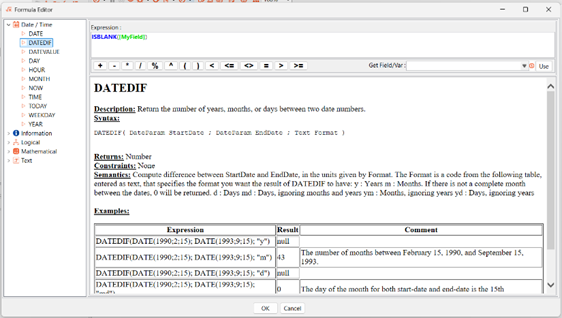 |