Configurations
We assume there are two sites viz. Primary and DR. Complete the following configuration for Agents to switch seamlessly between Primary and DR sites:
-
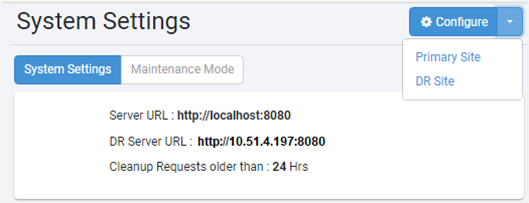
Navigate to Settings - System Settings. Click the dropdown and configure Primary Site and DR Site Server URLs.
- The Primary site is on localhost:
- The URL settings on DR site, 10.51.4.197, are automatically replicated from Primary site.
-
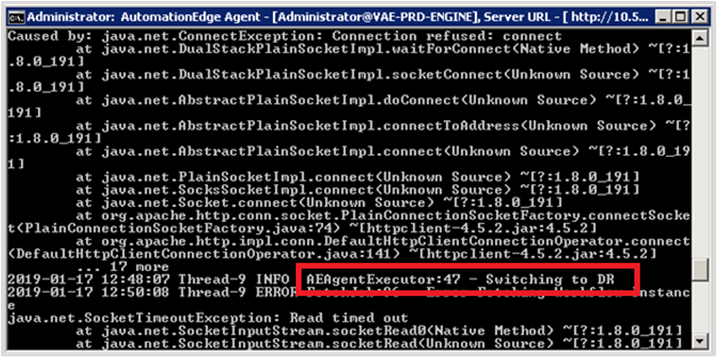
After the configurations are completed, Agents can transition to DR sites. The following screenshot shows an Agent transitioning to DR site: