XSL Transformation
Description
XSL Transformation applies an XSL stylesheet to XML data to produce transformed output. Use this process entry when your process needs to convert XML between different schemas, generate HTML from XML source data, or restructure XML documents — for example, transforming an incoming order XML into the format required by an ERP system. It supports customizable output properties and parameters for flexible transformations.
Configurations
| Field Name | Description |
|---|---|
| Process entry name | Specify the name of the step as it appears in the workflow workspace. This name has to be unique in a single workflow. |
| Files: | |
| Get filenames from previous result | Select checkbox to get filenames from result of the previous process entry.Be careful the order is the following, i.XML File Name ii. XSL File Name iii.Output File Name Enabling checkbox disables the three fields below. |
| XML File Name | Specify or browse for the input XML file. |
| Button: Browse | Click to Browse for the input XML filename. |
| XSL File Name | Specify the source XSL filename path or browse for it. |
| Button: Browse | Click to Browse for the source XSL filename. |
| Output File Name | This field is enabled by default when the ‘XSL source defined ina’ checkbox is unselected. Specify the source XSL filename path or browse for it. |
| Button: Browse | Click to Browse for the source XSL filename. |
| Settings: | |
| Transformer factory | Select from JAXP or SAXON |
| If file exists | Select an option from the list to handle duplicate output files, |
| Add output filename to result | Check this option if you want to add output filename to the result and attach it to mail. |
| Advanced Tab: | |
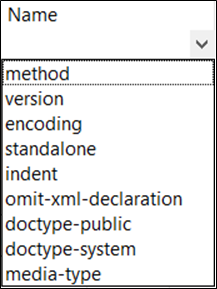
| Output Properties: | Tabular list of Properties. |
| Name | Select a Property name from the list. |
| Value | Specify a property value. |
| Parameters: | Tabular list of parameters. |
| Name | Specify a parameter name. |
| Value | Specify a parameter value. |