Debug Log
Description
Debug Log writes process and workflow variables and fields to log files for troubleshooting and monitoring. When a process runs from AutomationEdge, it logs to the agent.log file; when run from Process Studio, it logs to the process-studio.log file. Use this process entry to capture runtime data at configurable severity levels, making it easier to diagnose issues in complex processes and verify that variables hold expected values at key decision points.
Configurations
| Field Name | Description |
|---|---|
| Step Name | Specify a unique name for the process entry on the workspace area. A process entry can be placed on the canvas several times; and each instance of the entry must have a unique name. |
| Log Level | Select a value from the drop down list. Possible values are DEBUG, INFO, WARN, ERROR in ascending order of severity. The debug log step will collect logs at the level selected here or at higher lever of severity.However the base level is governed by the Agent Logger setting (DEBUG, INFO, WARN or ERROR) in the log4j2.xml file available in the agents conf folder. All logs at a higher level than this setting will be visible in Agent log file.In case of Process Studio the base level is governed by the ProcessStudioLogger setting (DEBUG, INFO, WARN or ERROR) in the log4j2.xml file available in the Process Studio distribution conf folder. All logs at a higher level than this setting will be visible in Process Studio Log file. |
| Variable tab: | |
| variables | Accepts comma separated list of variables to be logged in. |
| Fields Tab: | Contains table to accept fields to be logged in. |
| Name | Name of field to be logged in. |
| Type | Auto populated once the field name is selected. It is not editable. |
Notes: Secret variables are logged as ‘XXXX’
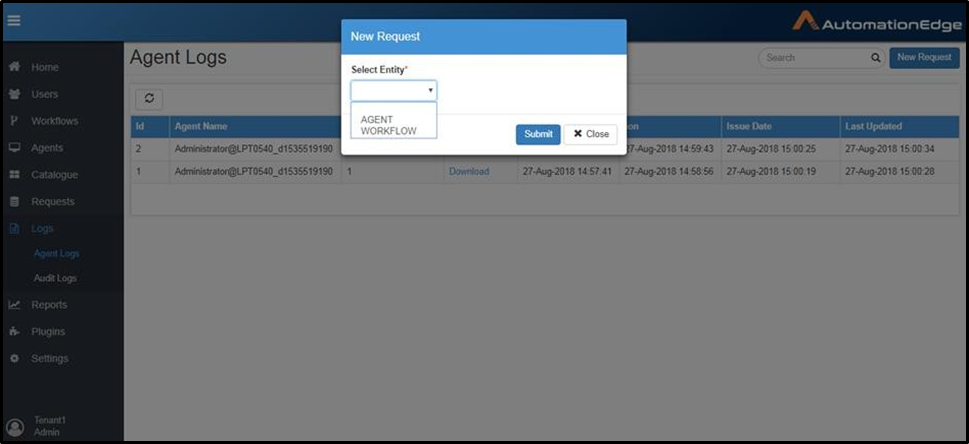
Agent logs are also accessible from AutomationEdge Agent Log menu. Debug logs are part of Agent Logs. Agent Logs are visible by navigating to the Logs menu and Agent Logs sub -menu in AutomationEdge. Agent logs can be obtained by clicking the New Request Button on the top